A chat window in your own style
The chat window can look the way you want. We match it to your website’s colours, style and tone, so your visitors see it as a natural part of the site, not a foreign widget.
What can be customized?
- Colours: the header, the buttons and the message bubbles follow your brand colours.
- Texts: the window title, the welcome message and the input placeholder.
- Tone: formal or informal address, to suit your website.
- Position: the chat window opens in the bottom right or bottom left corner.
- A completely custom look: dark or light theme, your own icon, font and shapes — even an entirely different design.
Try it: how would it look in your colours?
Pick or type any colour, set the window title and the welcome message — the preview shows the result right away.
Hex code (e.g. #1a2b3c) or colour name (e.g. navy)
Hex code (e.g. #1a2b3c) or colour name (e.g. navy)
These are just examples
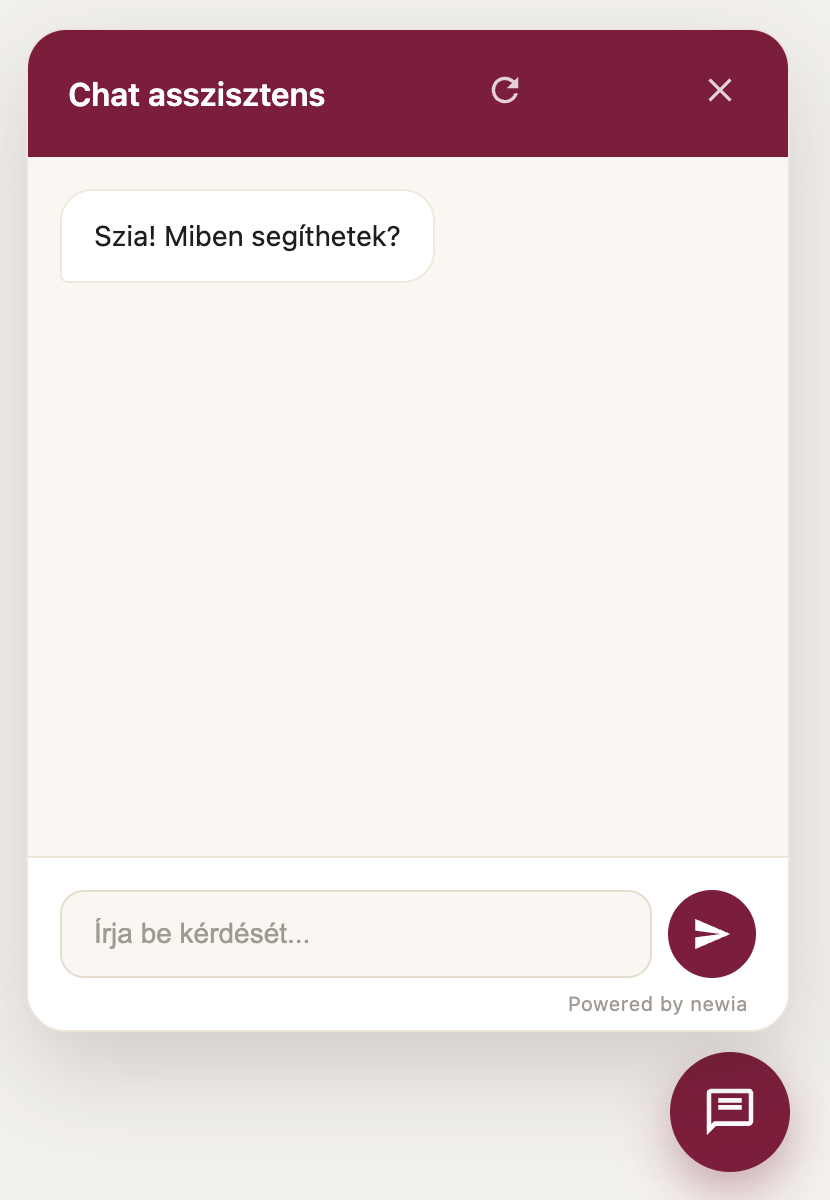
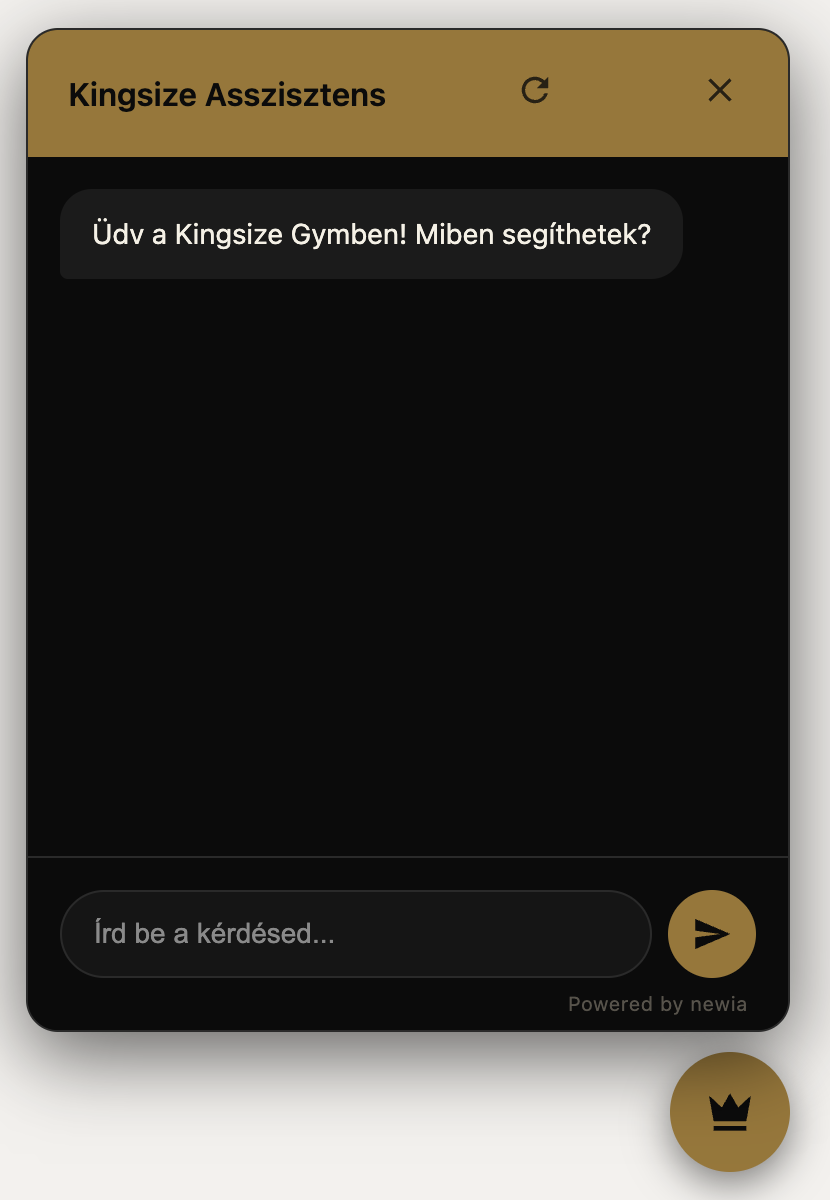
The preview shows only a few basic settings, with a sample conversation. We match the chat window to your whole brand: your own logo or image in the header and on the launcher, a background image, your own font, icons and shapes — like the dark-and-gold chat window with a crown icon of one of our clients below. Tell us what you would like, and we will build it.
Example: how it looks for one of our clients
On the left, the default look; on the right, the chat window of one of our clients, matched to their website’s dark and gold colours, with its own crown icon.
Want a different look?
Tell us how you imagine it — a short description, a picture or an example you like is enough. We will do our best to build any look you want.